A health and fitness app is easier to choose when you start with the job you need it to do. Some apps collect activity data, some guide individual workouts, and some record meals. If daily walking is the routine you want to support, begin with reliable step tracking and then decide what kind of feedback will make you return tomorrow.
Choose the category for your routine
“Health and fitness app” can describe several different tools. A single app does not need to do every job. Choose the category that matches the routine you want to build.
| App category | What it is for | Useful when |
|---|---|---|
| Step-tracking app | Collects steps and shows day-to-day walking progress. | Your main activity is walking and you want a clear daily record. |
| Workout app | Organizes sessions, exercises, or training plans. | You want guidance for specific workouts as well as activity data. |
| Food-tracking app | Records meals and nutrition information. | You want to keep a food log alongside your own activity routine. |
| Walking game | Uses steps to unlock progress, quests, or other game elements. | You want a reason to open the app and continue a walking habit. |
These categories can overlap, but they answer different questions. A step tracker answers “how much did I walk?” A workout app can structure a session. A food log records meals. A walking game can make routine progress feel more tangible.
What a step-tracking app should do for daily walking
For a walking-focused routine, look first at the source of the step total. On iPhone, MistyWay reads steps from Apple Health. On Android, it reads steps from Health Connect. It does not use GPS route tracking, and it does not include an Add Steps button; it imports the totals available from the connected health platform.
That setup matters because it keeps the app focused on the step total you already collect. If you use a wearable, check whether its companion app writes steps to Apple Health or Health Connect before you expect those steps to appear in a walking app.
Choose the feedback that fits your routine
After step tracking, the useful question is what will make the information actionable for you. A plain dashboard may be enough if you only want to review a total. If you want more structure, look for a daily goal, a streak, a challenge, or a social feature that you will actually use.
- Simple review: choose a clear step total and a history you can check without extra prompts.
- Daily rhythm: choose an app that lets you set a goal and makes it easy to see whether you reached it.
- Longer-term motivation: choose progress that continues beyond one day, such as quests, achievements, or a journey.
- Shared progress: choose friend features only if you want to compare progress or keep each other involved.
How MistyWay fits a daily walking routine
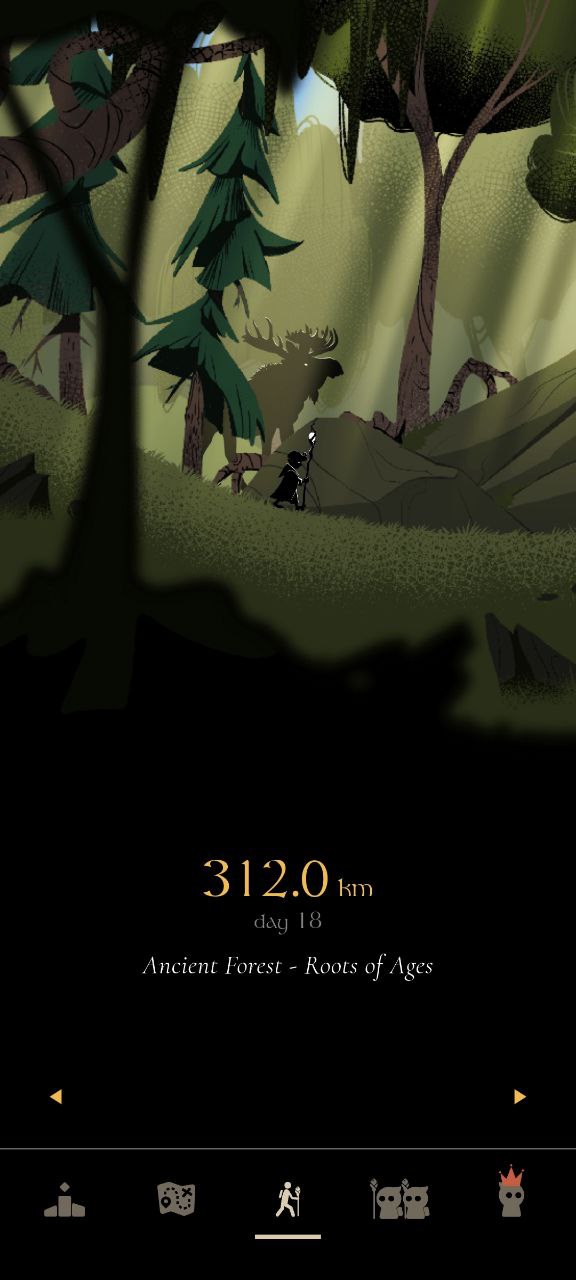
MistyWay is a fantasy walking game built around steps from your phone’s health platform. Those steps move a character through a hand-drawn journey of 45 locations. The app includes weekly quests, walking streaks, 40+ achievements, and free friend progress features.
That makes it a fit for someone who already has a step source and wants walking progress to lead somewhere in the app. It is not a replacement for a workout log or a food log; it is a walking-focused layer that turns step totals into journey progress. For the setup details, see the MistyWay beginner’s guide.
A practical checklist before you install
- Name the routine: decide whether you mainly want to walk more, plan workouts, log food, or combine separate tools.
- Check the data source: confirm that the app can read the step source you use on your phone or wearable.
- Read the privacy details: understand whether an app uses location, routes, or only the data it needs for the feature you chose.
- Pick one next action: set up a daily goal, a weekly quest, or another small prompt you are willing to revisit.
When a walking game is the right choice
A walking game suits people who want more than a number at the end of the day. In MistyWay, steps reveal paths, advance the journey, and support weekly quests and streaks. If you prefer a conventional app comparison, read what to look for in a walking app. If your focus is making the routine repeatable, the daily walking habit guide covers simple ways to keep showing up.